CAWhere CareHrs began
California IHSS
In-Home Supportive Services. CareHrs is shaped around the 1st–15th and 16th–end pay periods, monthly authorized hours and per-recipient timesheets that IHSS providers know.
Track IHSS, CDPAP, CDS, and other home care hours with ease. Manage recipients, record hours by voice, organize timesheets, and keep your caregiving records in one place.
CareHrs is an independent hours-tracking tool and is not affiliated with any government program.
Made for caregivers
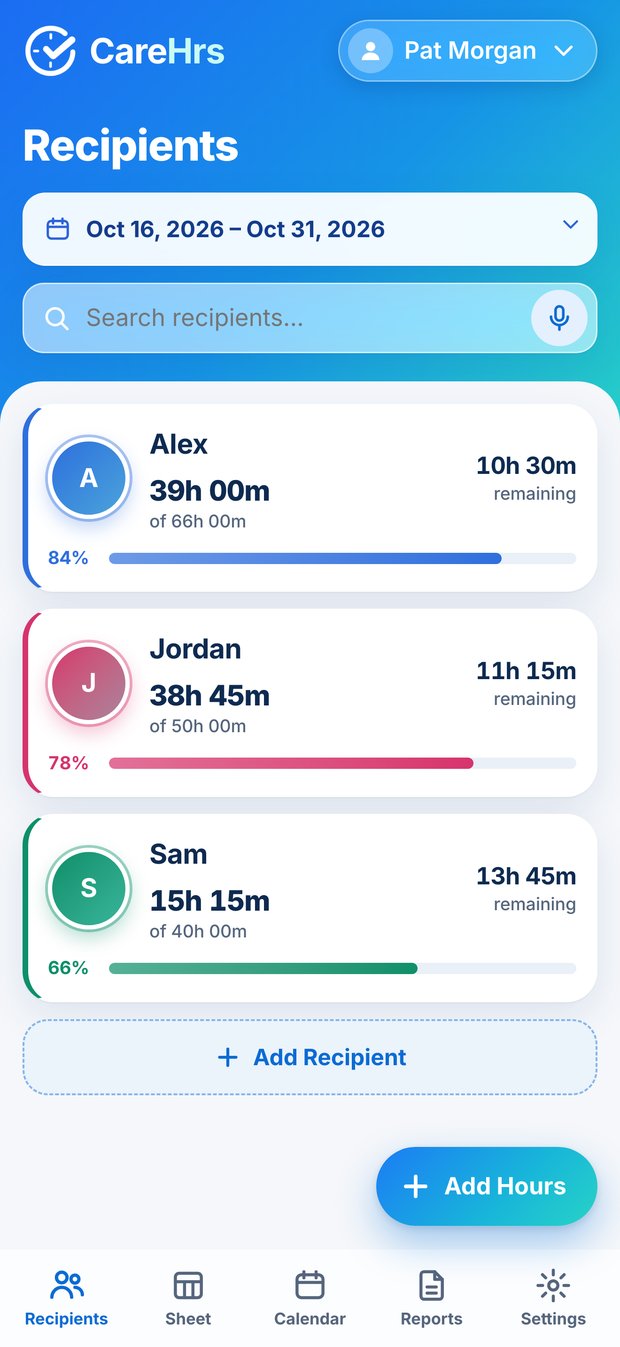
Looking after someone takes your whole heart, and keeping track of every hour should not take what is left. CareHrs turns each day’s hours into clear timesheets and totals, so you can spend your energy on the people who count on you.

Caregivers in all 50 states are welcome. CareHrs is your own private record of the hours you work, whichever program you care under.
In-Home Supportive Services. CareHrs is shaped around the 1st–15th and 16th–end pay periods, monthly authorized hours and per-recipient timesheets that IHSS providers know.
Consumer Directed Personal Assistance Program. Keep your own record of the hours you work for each person.
Consumer Directed Services. Track hours for the person you support and keep a clean copy for yourself.
Help with daily living at home, offered through many state Medicaid and local programs.
Services that let people receive care at home or in the community instead of in a facility.
Programs where the person receiving care, or their family, chooses and directs their own caregivers.
Pay periods. CareHrs organizes hours into two pay periods a month, the 1st–15th and the 16th–end, with Sunday–Saturday workweeks. If your program uses a different schedule, CareHrs does not change these periods, so treat it as your own record.
These programs are not identical. Names, rules and pay schedules differ by state and by program. CareHrs is an independent personal record and is not affiliated with any government program, agency or payroll system. It does not submit hours, connect to payroll or provide electronic visit verification. Always enter and submit your hours the way your program requires.
How it works
From a quick note at the end of a shift to a clean timesheet at the end of the pay period.

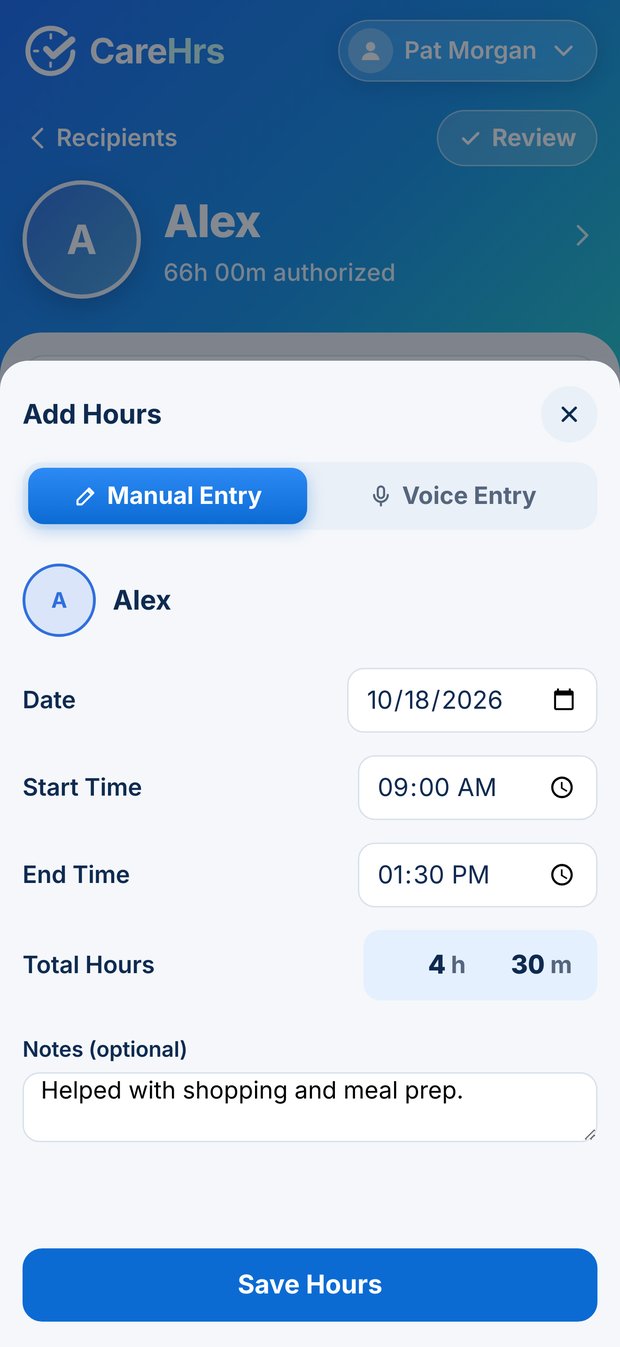
Type the hours and minutes for a day. Or enter a start and end time and CareHrs works out the hours for you.
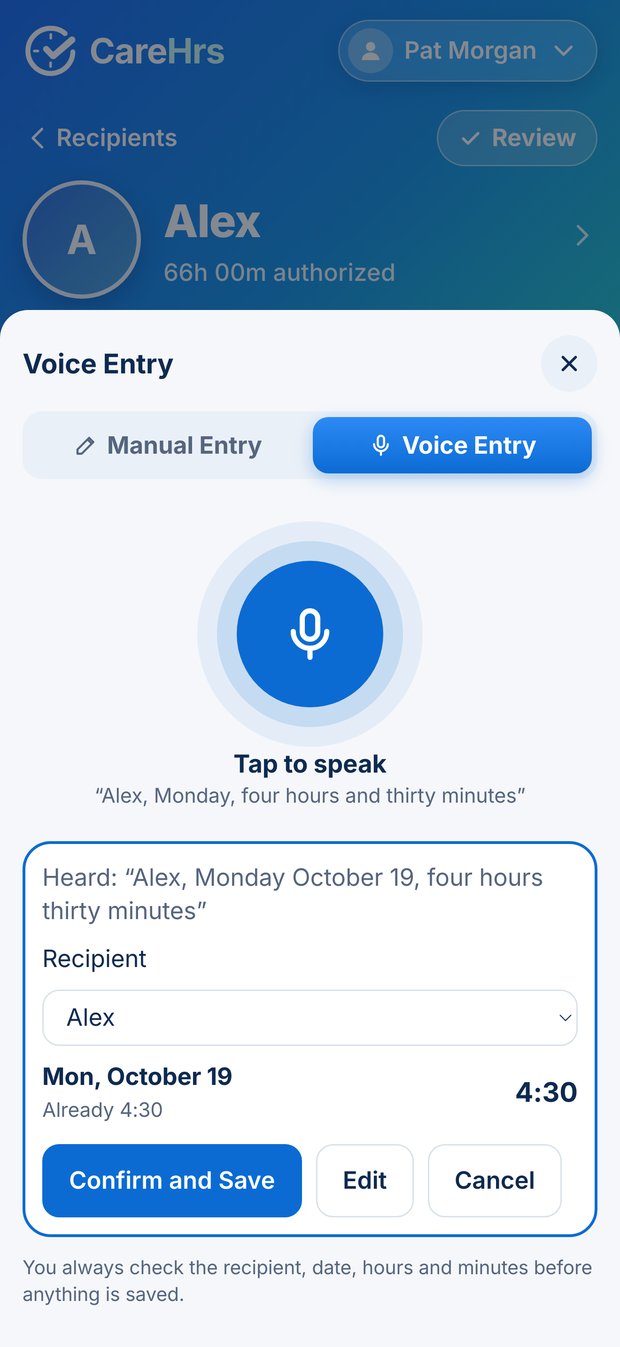
Say “Monday, four hours thirty minutes.” CareHrs shows what it heard, and nothing is saved until you tap Confirm and Save.
Each recipient has their own timesheet, split into workweeks and pay periods, with the total worked and the hours remaining.
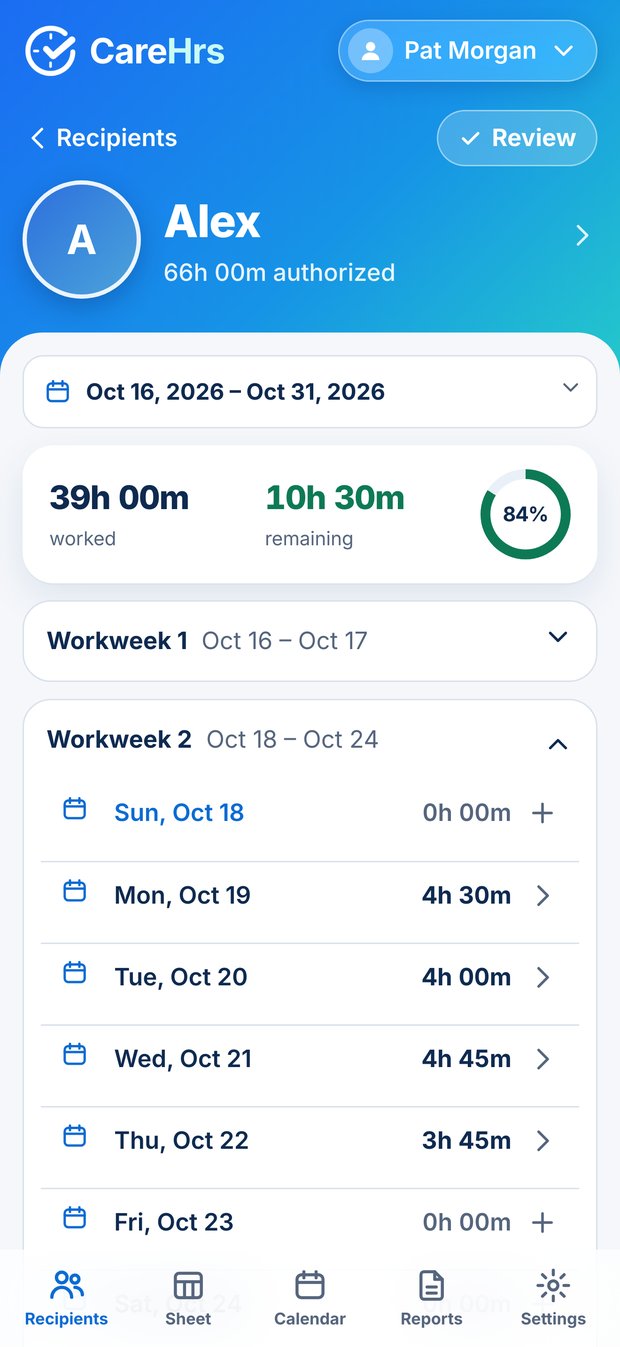
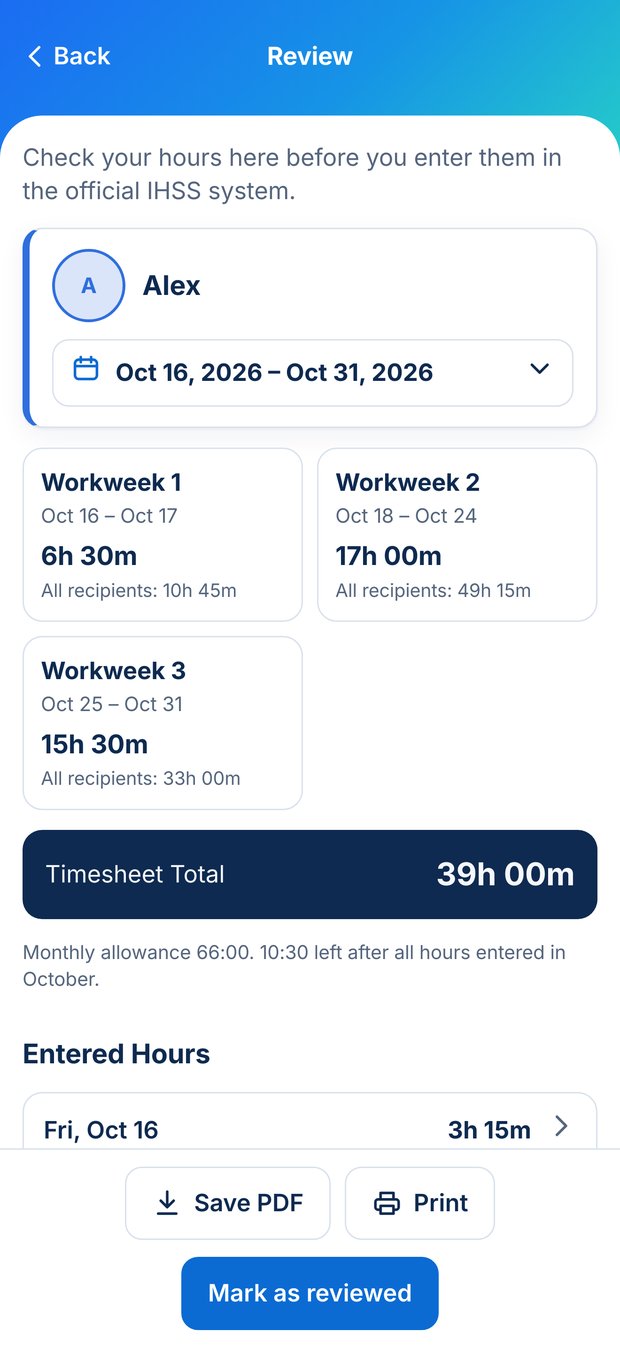
Check each workweek and the pay-period total in one place before you enter your hours in your program’s official system.
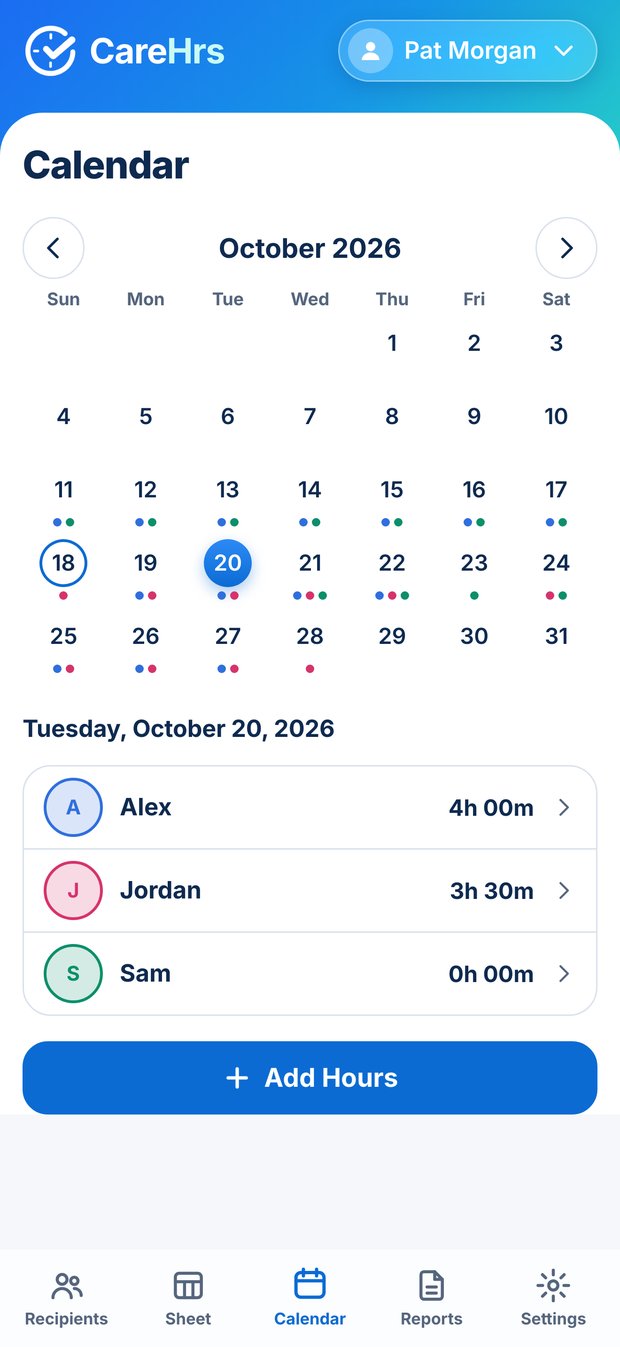
Every day at a glance. Tap a day to add or change hours, right where you are looking.
See totals for each pay period, then choose one recipient or everyone and create a tidy PDF timesheet to save, print or share.
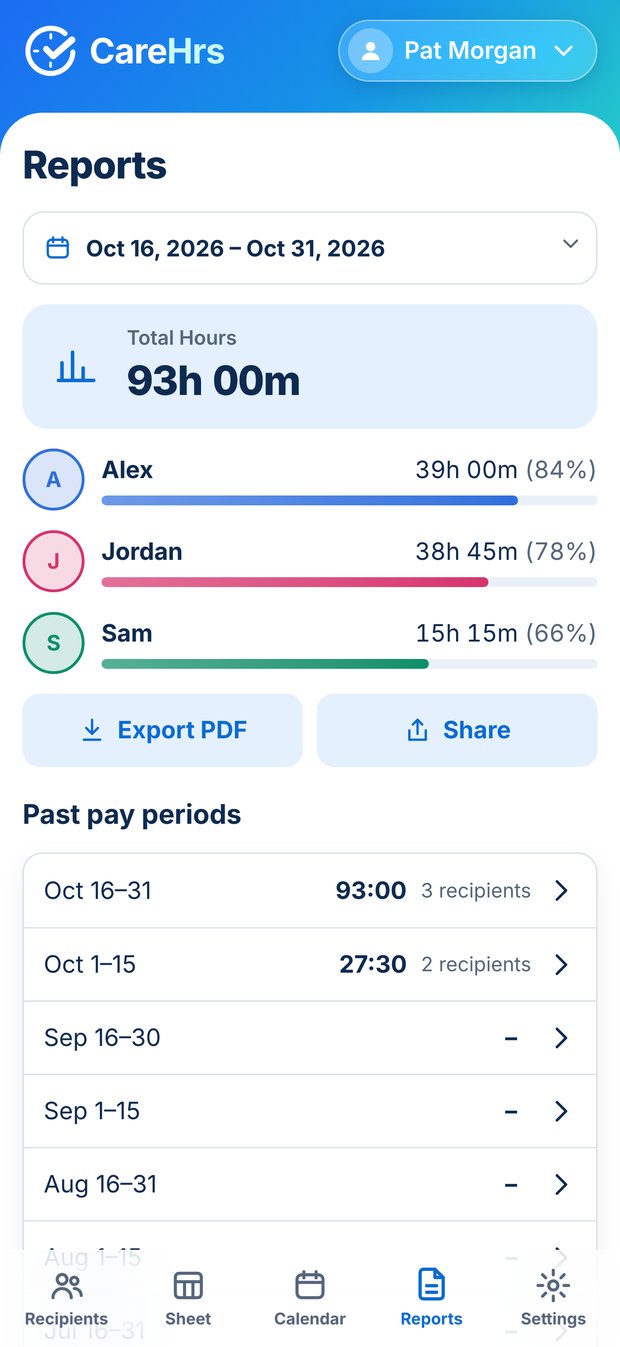
Hours are added up for the 1st–15th and the 16th–end, a common twice-a-month schedule. Every day counts in whole minutes.
Sample month. Hover or tab to a day to see its hours.
Privacy
Your caregiving records are stored locally on your iPhone or iPad. If you use voice entry, Apple’s speech recognition may process what you say, on the device or with Apple’s speech services, depending on your device and language. CareHrs never saves the audio.
Open the app and start. There is nothing to sign up for.
We never see your names or your hours.
Save a backup file to iCloud Drive or Files, and restore it on a new phone.
For iPhone and iPad. Write to us to hear when it launches.
CareHrs is a personal record, not an official timesheet. It is independent and is not affiliated with IHSS, CDPAP, CDS or any other government program, agency, county or payroll system. It cannot submit your hours or verify visits. Enter them in your program’s official system the way it tells you to.